
If your CPU temperatures have been creeping up or your AIO cooler sounds different lately, you’re not alone. Many PC builders mistakenly believe all-in-one liquid coolers require no maintenance, only to discover performance degradation after a year or two. Proper AIO cooler maintenance is the secret to keeping your system running quietly and efficiently for years. Unlike custom water loops, AIO coolers have specific but manageable upkeep needs that focus entirely on external components—never the sealed coolant system. This guide reveals exactly what you need to do (and what you should never attempt) to maximize your AIO cooler’s lifespan and cooling performance.
Most users don’t realize that dust accumulation on radiator fins can reduce cooling efficiency by up to 30% over time. The good news? With just 15 minutes of maintenance every few months, you can prevent this performance drop and extend your cooler’s functional life well beyond the typical 5-7 year lifespan. Whether you’re using a Corsair H150i, NZXT Kraken, or Thermaltake Floe, this guide provides manufacturer-specific insights you won’t find in your product manual.
Why Your AIO Cooler’s Performance Degrades Without Proper Maintenance
Dust buildup on your radiator fins isn’t just an aesthetic issue—it directly impacts your CPU temperatures and system stability. As dust accumulates between those tightly spaced fins, it creates an insulating barrier that traps heat instead of dissipating it. This forces your fans to spin faster and louder just to maintain the same cooling performance, often leading to thermal throttling during intensive workloads. Most AIO coolers experience 1-3% coolant evaporation annually through tubing permeation, gradually reducing cooling capacity until temperatures rise noticeably.
The pump represents your AIO cooler’s most vulnerable component, typically failing before coolant degradation becomes significant. When dust clogs your radiator, the pump works harder to circulate coolant through a less efficient system, accelerating wear on internal bearings. This double whammy of reduced radiator efficiency and increased pump strain creates a vicious cycle that shortens your cooler’s functional lifespan. Without regular AIO cooler maintenance, you might see temperature increases of 10-15°C over baseline measurements after just two years of use.
Critical Monthly AIO Cooler Cleaning Procedures for Peak Performance

Radiator Fin and Fan Blade Dust Removal Protocol
Your radiator’s cooling efficiency depends entirely on unobstructed airflow through those delicate fins. Start by powering down your system and removing the radiator if possible—most top-mounted radiators can be accessed without full disassembly. Use compressed air in short bursts at a 45-degree angle to the fins, working systematically from one end to the other. Never force air directly through the fins as this can bend them, further reducing efficiency.
For stubborn dust buildup between fins, gently use a soft-bristled brush (like a clean toothbrush) to loosen debris before blowing it away. Pay special attention to the area where the radiator meets the fans, as this tends to accumulate the most dust. On the fan blades themselves, wipe each blade with a microfiber cloth dampened with isopropyl alcohol to remove oily dust buildup that compressed air won’t dislodge.
Pro Tip: Clean your radiator monthly in dusty environments or with pets, but extend to every 3-6 months in cleaner setups. Always check fan blades for balance after cleaning—if they wobble, you’ve likely bent a fin that needs straightening.
Pump Operation Verification Checklist
While you’re inspecting your radiator, take 30 seconds to verify your pump is functioning correctly:
- Place your finger lightly on the pump housing—you should feel a consistent, subtle vibration
- Listen for unusual noises like grinding, buzzing, or sudden changes in the normal hum
- Check for any visible moisture around connections or fittings
- Ensure all cables are securely connected to the correct headers
If your pump stops vibrating entirely or makes loud, irregular noises, it’s likely failing. Most modern AIO coolers include pump failure detection in BIOS or monitoring software, but physical verification catches issues before they cause thermal damage to your CPU.
What You Should NEVER Do to Your Sealed AIO Liquid Cooling System

Critical AIO Components That Must Remain Untouched
Your AIO cooler’s sealed design is its greatest strength—and tampering voids warranties and risks catastrophic failure. Never attempt to:
- Open or modify coolant reservoirs or tubing connections
- Add aftermarket coolant or “top up” fluid levels
- Bleed air from the system (modern AIOs self-bleed during operation)
- Disassemble the pump housing for cleaning or lubrication
Factory-sealed AIO coolers contain proprietary coolant blends with corrosion inhibitors that degrade if exposed to air. The multi-layer tubing is designed to minimize permeation, but any breach introduces contaminants that accelerate internal corrosion. Manufacturers like Corsair and NZXT explicitly state in their warranties that any user modification voids coverage, leaving you responsible for potential motherboard damage from leaks.
Debunking Common AIO Maintenance Myths
Many PC enthusiasts mistakenly believe they should treat AIO coolers like custom water loops. These practices will damage your system:
- ❌ Coolant replacement every 6-12 months (unnecessary and impossible without destroying the unit)
- ❌ Adding biocide additives to prevent algae (factory coolant already contains inhibitors)
- ❌ “Bleeding” air bubbles by repositioning the radiator (modern AIOs self-purge during operation)
- ❌ Using distilled water flushes to “clean” the system (breaches the sealed loop)
Thermaltake, Cooler Master, and other manufacturers confirm that their AIO coolers require no fluid maintenance throughout their operational lifespan. The factory-sealed construction prevents contamination while maintaining optimal coolant chemistry for 4-7 years before gradual degradation begins.
Your AIO Cooler Maintenance Schedule: Monthly to Yearly Tasks
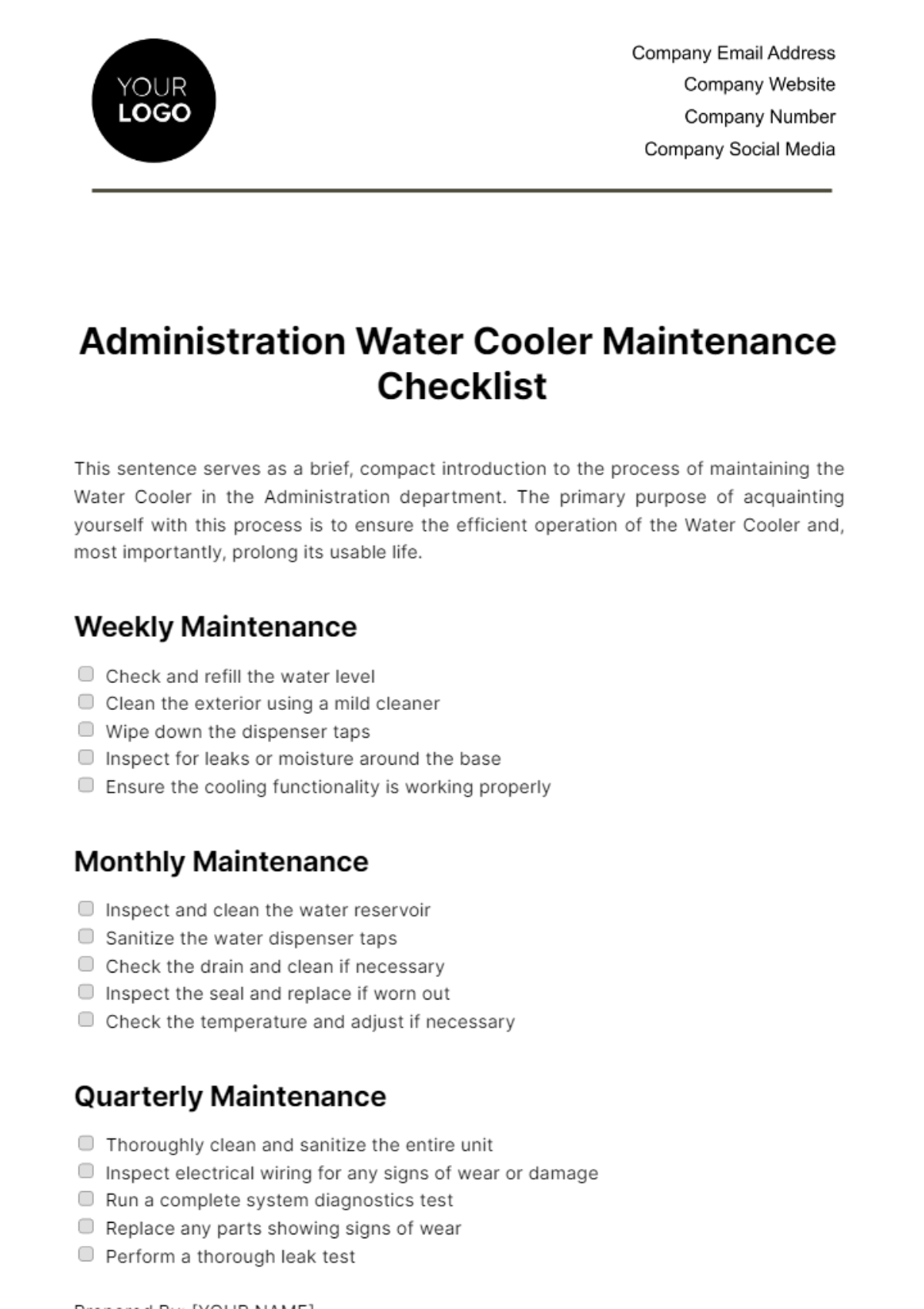
Essential Quarterly Maintenance Routine
Every three months, perform these critical checks beyond basic dusting:
- Tubing inspection: Check for cracks, swelling, or kinks that restrict coolant flow
- Mounting hardware verification: Ensure brackets haven’t loosened from thermal cycling
- Fan bearing check: Listen for grinding noises indicating failing bearings
- Thermal paste assessment: If temperatures rise 5°C+ over baseline, consider replacement
Pay special attention to tubing routing—sharp bends near the pump can accelerate wear and cause premature failure. If you notice any damp spots during inspection, power down immediately and contact the manufacturer; visible leaks require immediate cooler replacement.
Annual Deep Maintenance Protocol
Once a year, perform this comprehensive maintenance:
- Completely remove the radiator for thorough cleaning from both sides
- Disassemble fans (if possible) to clean motor housings and bearings
- Replace thermal paste on your CPU with fresh compound
- Re-seat all mounting hardware to ensure proper contact pressure
- Reset BIOS fan curves to account for any performance changes
Warning: When replacing thermal paste, clean both surfaces thoroughly with isopropyl alcohol before applying a pea-sized amount of new paste. Too much paste creates an insulating barrier that reduces heat transfer.
Diagnosing Common AIO Cooler Problems: Gurgling, Noise & Overheating
Identifying Air Infiltration vs Normal Operation
Gurgling sounds often concern AIO users, but not all bubbling indicates failure. New installations commonly exhibit temporary gurgling as the system self-bleeds during the first 24-48 hours of operation. However, persistent gurgling after this period suggests air infiltration from permeation or a developing leak. To diagnose:
- Check if gurgling occurs only during system startup (normal)
- Verify if sounds persist under all load conditions (problematic)
- Monitor for simultaneous temperature increases (indicates serious issue)
- Inspect for visible coolant level drops in reservoir models
If gurgling continues beyond the initial break-in period, consider replacement—this indicates significant air infiltration that reduces cooling efficiency and accelerates pump wear.
Temperature Troubleshooting Decision Tree
When your CPU runs hotter than usual:
- Rule out software issues: Check for background processes or BIOS settings changes
- Verify fan operation: Ensure all fans spin at appropriate speeds under load
- Check radiator dust levels: Clogged fins are the #1 cause of performance loss
- Assess pump vibration: No vibration indicates pump failure
- Compare to baseline: Gradual increases suggest normal aging; sudden jumps indicate failure
If temperatures rise 10°C+ above your established baseline under identical workloads, your AIO cooler is likely nearing end-of-life and requires replacement.
Signs Your AIO Cooler Is Near End-of-Life: When to Replace
Critical Failure Indicators Requiring Immediate Action
Replace your AIO cooler immediately if you notice:
- Visible coolant leaks (even small damp spots)
- Complete pump failure (no vibration, loud grinding)
- Temperature spikes exceeding safe CPU thresholds
- Discolored coolant visible through tubing
Most manufacturers offer 3-6 year warranties covering leaks and pump failures, but you must act quickly—coolant leaks can damage other components if left unaddressed. Contact the manufacturer immediately with proof of purchase if your cooler fails within warranty.
Planned Replacement Timeline
Even without obvious failure, consider scheduled replacement after 5-7 years of service. Coolant degradation becomes significant after 4-5 years as corrosion inhibitors deplete and permeation reduces fluid volume. Waiting until complete failure risks thermal damage to your CPU during the inevitable pump breakdown. Register your product with the manufacturer to ensure full warranty coverage and receive notifications about potential recalls.
Pro Tip: When replacing your AIO cooler, consider upgrading to a larger radiator size if space permits—this provides better thermal headroom for future CPU generations. Always clean your case thoroughly before installation to prevent immediate dust re-accumulation on the new radiator.
Final Note: Consistent AIO cooler maintenance focusing on external components extends functional life while preventing unnecessary strain on your cooling system. By following this specific cleaning schedule and recognizing early warning signs, you’ll maximize performance and avoid unexpected failures. Remember that while AIO coolers don’t require fluid servicing, they’re not truly maintenance-free—those extra 15 minutes every few months pay dividends in system stability and longevity. When in doubt, consult your specific manufacturer’s documentation as some premium models may have unique considerations.